The Complete Digital Signage Platform for Restaurants
Design, manage, and broadcast beautiful digital menus to every screen in your business — with offline-first playback, a drag-and-drop overlay studio, AI artwork, QR pairing, subscriptions, an affiliate program, and a full admin console. This is everything Heavy Menu can do, in one catalog.
See how it works
From live screens to the admin panel — a quick look at the platform in action.
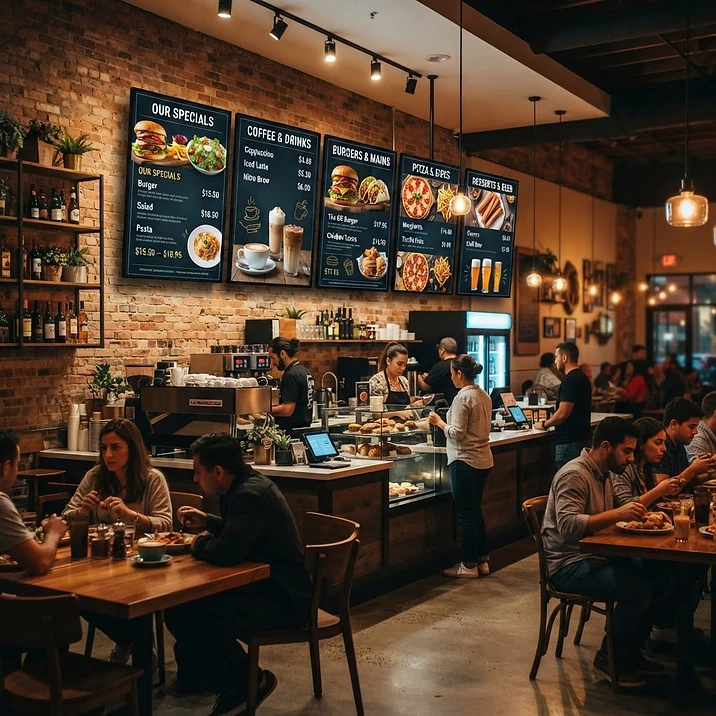
Your menu, broadcasting live on every screen
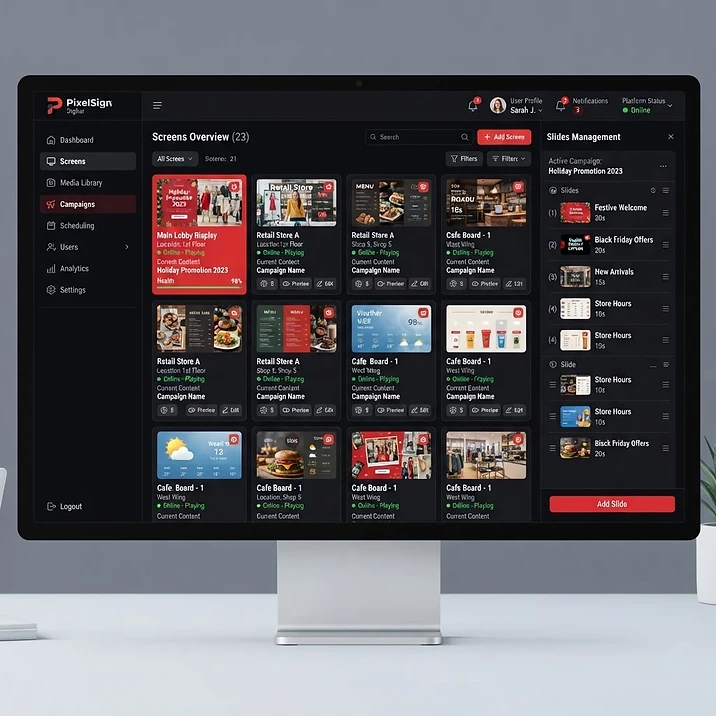
Manage slides and screens from one panel
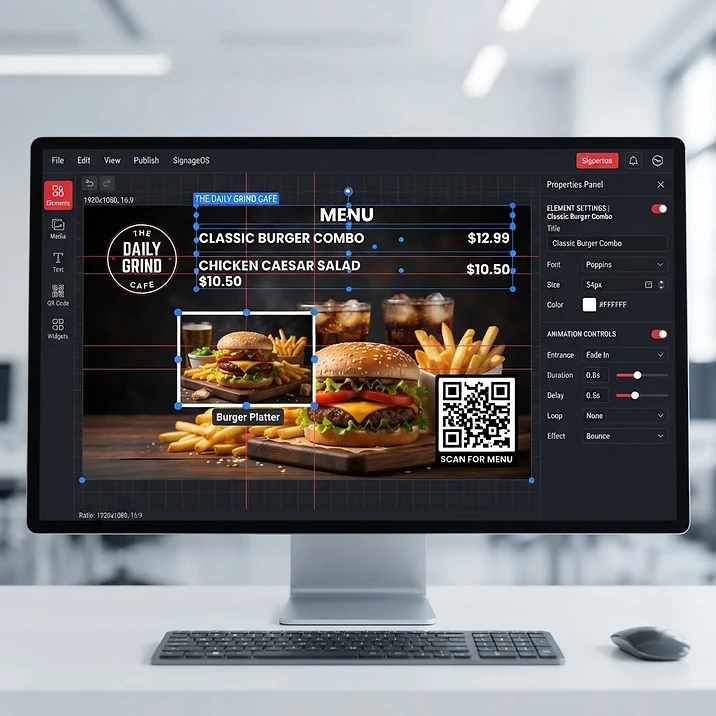
Design overlays with a drag-and-drop editor
How everything works — from sign-up to live screens
Follow the exact path your business takes with Heavy Menu. Each step builds on the one before it — and you're live before you know it.
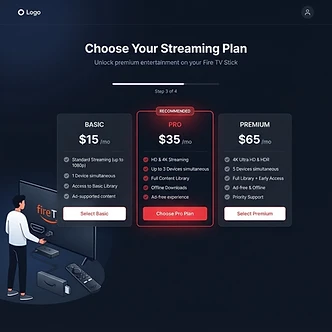
Step 1 — Sign up & pick your plan
Choose the plan that fits your business: Basic for a single screen, Pro for growing restaurants with up to 3 screens, or Premium for multi-location fleets with 8 screens. Pay monthly or save 10% yearly. A one-time $30 setup fee per screen covers the Fire Stick app and guided onboarding.
- Select Basic, Pro, or Premium
- Secure checkout with Base44 Payments
- One-time $30 setup fee per screen

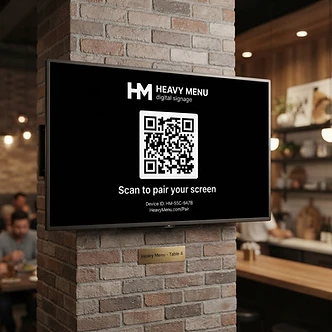
Step 2 — Pair your TV screen
Open the live screen on your Fire Stick or browser. A dynamically refreshing QR code appears. Scan it with your phone (or another device) to instantly pair the TV — no manual serial entry, no IT team required. The screen enters a branded waiting state until you assign content.
- Scan-to-pair with a QR code
- Unified login via username + serial
- Branded waiting screen while empty

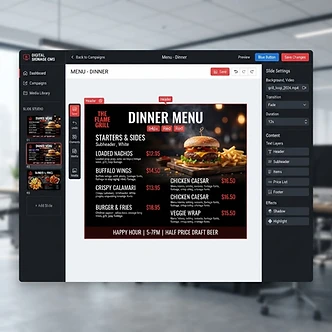
Step 3 — Build your slides
Open the Slide Studio and create looping playlists. Mix full-screen video promos with styled menu slides. Set per-slide durations, drag to reorder, toggle slides active or inactive, and schedule content to appear only within specific date/time windows — perfect for lunch specials or weekend promos.
- Video slides + menu slides
- Per-slide duration & ordering
- Date/time scheduling windows

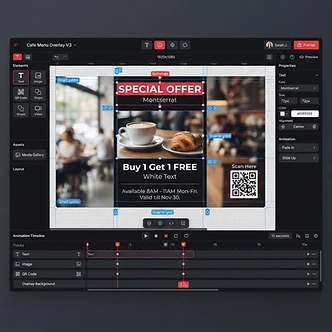
Step 4 — Design with overlays
Drag text, images, videos, QR codes, and animated particle effects anywhere on screen with the Overlay Studio. Choose from 40+ entrance and exit animations, set precise in/out timing, rotate, flip, adjust opacity and color (hue, saturation, lightness). Lock layers to protect your layout. No designer needed — if you can drag, you can design.
- 40+ entrance/exit animations
- QR, text, image, video, particle layers
- Color, opacity, rotation, flip controls

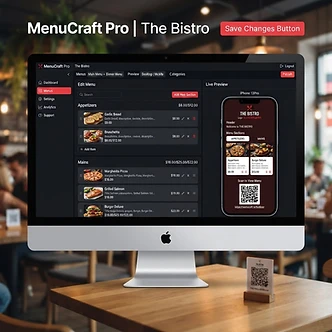
Step 5 — Build your digital menu
Use the Menu Builder to create a full digital menu with sections, items, images, prices, special prices, and add-ons. Customize fonts, colors, card styles, columns, and branding. Generate a public QR-menu page — customers scan it and view your full menu on their phones. Available on Pro and above.
- Sections, items, prices, add-ons
- Custom fonts, colors, card styles
- Public QR menu page for customers

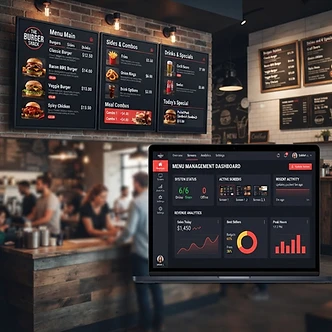
Step 6 — Broadcast & monitor
Assign slides to each screen, run independent playlists on every TV, and monitor live status from your dashboard. Push updates in real time — changes sync the second you save them. Force-reboot all screens with one click to apply updates instantly. Screens cache their playlist offline and keep playing even without internet.
- Independent playlists per screen
- Realtime sync + one-click force reboot
- Offline cache keeps screens playing
What is Heavy Menu?
Heavy Menu is a SaaS digital signage platform that lets restaurants and other businesses create and broadcast custom menus to multiple screens. Each screen runs a looping playlist of video and menu slides enriched with layered overlays — text, images, videos, QR codes, and animated particle effects. Owners manage everything from a restaurant panel; admins run the entire multi-tenant business from a PIN-protected console with billing, contracts, leads, affiliates, and live screen monitoring.
Platform capabilities
Every function the platform offers, with detail on what each one does.
Slide Studio
Build looping playlists mixing full-screen video promos with beautifully styled, editable menu slides.
Set per-slide durations, order, and active toggles. Choose from image, solid, gradient, video, or animated template backgrounds. Schedule slides to appear only within specific date/time windows.
Overlay Studio
Drag text, images, videos, QR codes, and particle animations anywhere on screen.
40+ entrance/exit animations with precise in/out timing, rotation, flip, opacity, hue/saturation/lightness color adjustments, QR styling, and layer locking.
Digital Menu Builder
Build a full digital menu with sections, items, images, prices, and add-ons.
Available on Pro and above. Customize fonts, colors, card styles, columns, and branding. Generate a public QR-menu page customers can scan to view your menu on their phones.
Multi-Screen Management
Run independent playlists on every TV from one dashboard.
Per-screen assignment, business-type categorization (restaurant, retail, other), screen limits per plan, and live status monitoring across all connected devices.
Offline-First Playback
Screens cache their playlist and keep playing with no internet.
Wake-lock keeps TVs awake, content survives reboots, and slides re-sync automatically the moment connectivity returns.
Live Screen Pairing
Pair any TV with a dynamically refreshing QR code.
No manual serial entry — scan to pair from another device. Unified live-screen login via username + serial code, with a branded waiting state when no content is assigned.
Realtime Updates & Force Reboot
Push new content instantly and reload every screen remotely.
Realtime subscriptions sync slide and screen changes the second they're saved. Force-reboot all screens (or per account) to pick up updates immediately.
AI Image Generation
Generate transparent stickers and full-bleed backgrounds with one prompt.
No designer required. Create on-brand promo graphics and overlay artwork directly inside the editor (Pro and above).
Fire TV Stick App
A dedicated TV app plus a one-time onboarding setup.
$30 one-time setup fee per screen includes the Fire Stick app and guided onboarding so you're live in minutes.
3rd-Party Business Accounts
Not just restaurants — retail and other businesses welcome.
Categorize accounts by business type, manage multiple tenants, and broadcast menus or promos to any screen type.
Subscriptions & Billing
Monthly or yearly plans with automated checkout.
Powered by Base44 Payments — secure checkout, subscription lifecycle tracking, custom-duration plans, contracts, and invoices all managed from the admin console.
Affiliate Program
Built-in referral program with commissions and payouts.
Affiliates get referral codes, a dashboard with earnings, conversion tracking, and PayPal withdrawals. Admins approve payouts and monitor the full partner pipeline.
Staff Management
Create staff and manager logins with scoped access.
Restaurant owners invite team members with limited panel access to manage menus and screens without exposing billing or account settings.
Secure Admin Console
PIN-protected, multi-tenant command center.
Manage restaurants, orders, leads, contracts, invoices, tasks, FAQs, plans, app downloads, and all screens from one professional dashboard.
Analytics & Viewers
Track live viewers and screen activity in real time.
See which screens are active, where viewers are watching from, and keep a pulse on your deployment's health.
Multi-Language & White-Label
English/Spanish panel toggle and fully white-labeled UI.
Every surface is brand-neutral for your clients, with a language toggle across restaurant tools and a polished, on-brand experience end to end.
Why choose Heavy Menu
Low total cost
Plans from $25/mo with no hidden fees — replace expensive static menu prints instantly.
Live in minutes
Pair a TV with a QR code, pick a plan, and start broadcasting the same day.
Always playing
Offline cache + wake-lock means your menus never go dark, even offline.
Made for growth
Scale from 1 screen to multi-location fleets with per-screen control and analytics.
Real support
Priority and 24/7 support tiers, plus a dedicated account manager on Premium.
No designer needed
AI backgrounds, drag-drop overlays, and templates let anyone build pro-grade screens.
Try the live demo
Scan the QR code with your phone to instantly open the platform with a demo restaurant account — no signup needed.
Scan to open the demo
Plans & pricing
Transparent monthly or yearly plans. A one-time $30 setup fee per screen includes the Fire Stick app + onboarding.
Basic
Perfect for two screens
Or $13.5/mo billed annually
2 screens included
- 2 active screens
- 8 slides
- Editable digital menu
- Video & menu slides
- Overlay studio
- Offline playback
- Email support
Premium
For multi-location restaurants
Or $58.5/mo billed annually
Unlimited screens
- Unlimited screens
- Unlimited slides
- Everything in Pro
- Advanced analytics
- Dedicated account manager
- Custom integrations
- 24/7 support
Pro
Most popular for growing restaurants
Or $31.5/mo billed annually
4 screens included
- 4 active screens
- 10 slides
- Everything in Basic
- Multiple screen management
- AI image generation
- Priority support
- Custom branding
Starter
Free forever — try the full studio
Free forever, no card required
1 screen included
- 1 active screen
- 2 slides
- Editable digital menu
- Video & menu slides
- Overlay studio
- Offline playback
- HeavyMenu.com watermark
- Ads
Compare plans
| Feature | Starter | Basic | Pro | Premium |
|---|---|---|---|---|
| Active screens | 1 | 2 | 4 | ∞ |
| Max slides | 2 | 8 | 10 | ∞ |
| Editable digital menus | ||||
| Video & menu slides | ||||
| Overlay studio | ||||
| Offline playback | ||||
| HeavyMenu.com watermark | ||||
| Multi-screen management | ||||
| AI image generation | ||||
| Menu Builder + public QR menu | ||||
| Custom branding | ||||
| Advanced analytics | ||||
| Dedicated account manager | ||||
| Custom integrations | ||||
| 24/7 support |
Stop printing menus. Start commanding attention.
Every day you wait is a day your competitors' screens outshine your printed menus. Heavy Menu turns your TVs into a living, breathing marketing engine — video promos that sell, menu slides that update in seconds, QR codes that bring customers back, and an overlay studio that makes every screen look like it was designed by a pro.
You don't need a designer. You don't need an IT team. You don't need to reprint anything. You need Heavy Menu — and you can be live today.
Live in minutes
Pair a screen, pick a plan, broadcast today.
Built to scale
From 1 screen to multi-location fleets.
Never goes dark
Offline-first playback keeps menus alive.
Plans from $15/mo · One-time $30 setup per screen · Cancel anytime
Ready to go live?
Pick a plan, pair your first screen with a QR code, and start broadcasting your menu today.
Heavy Menu — digital signage, simplified.